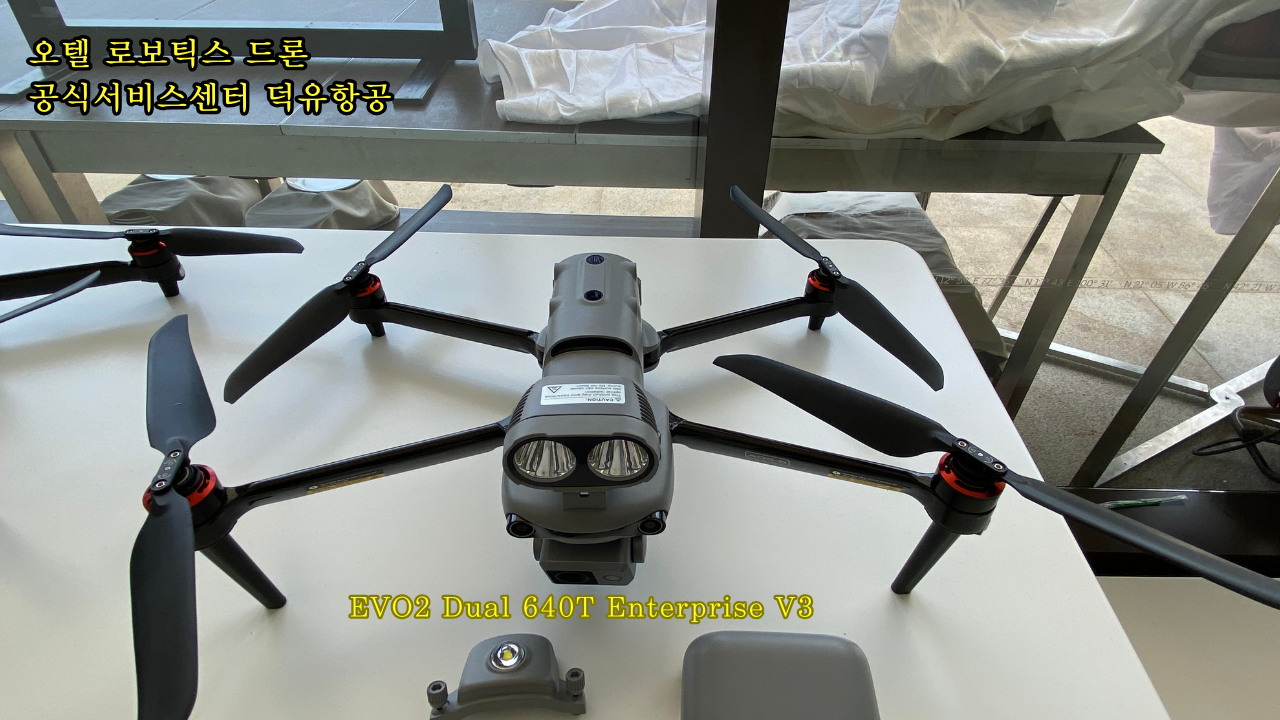
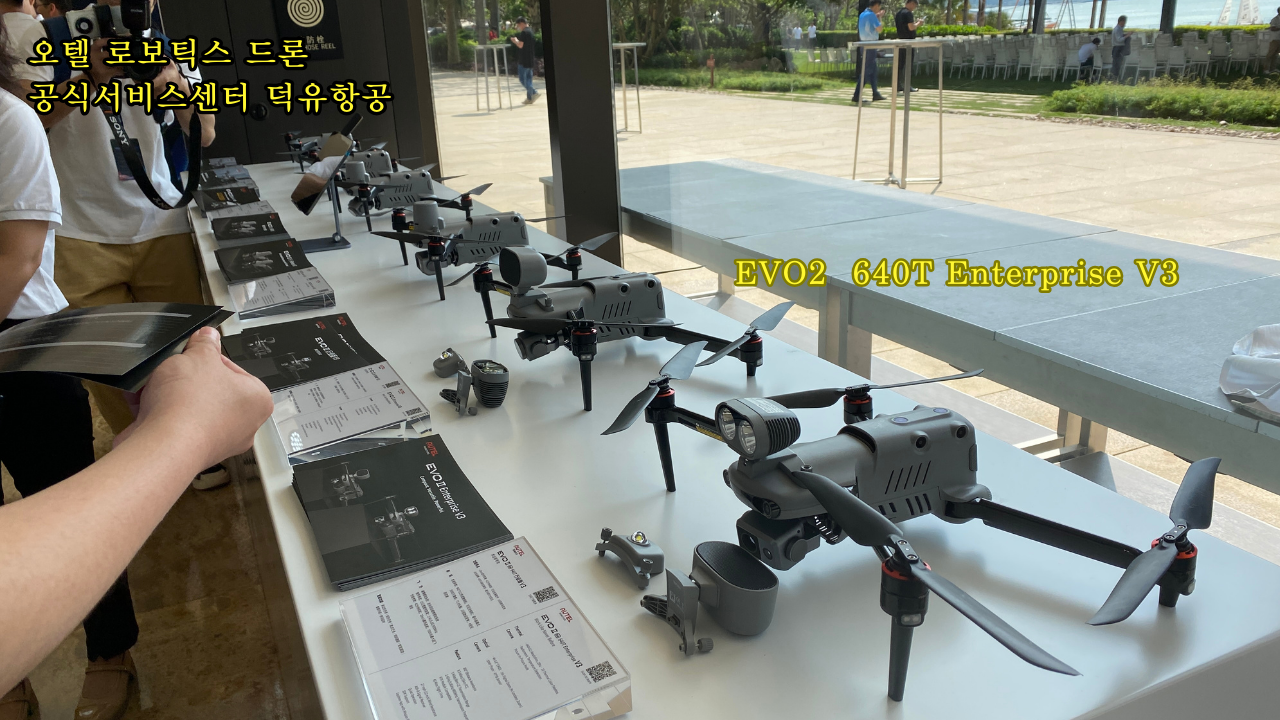
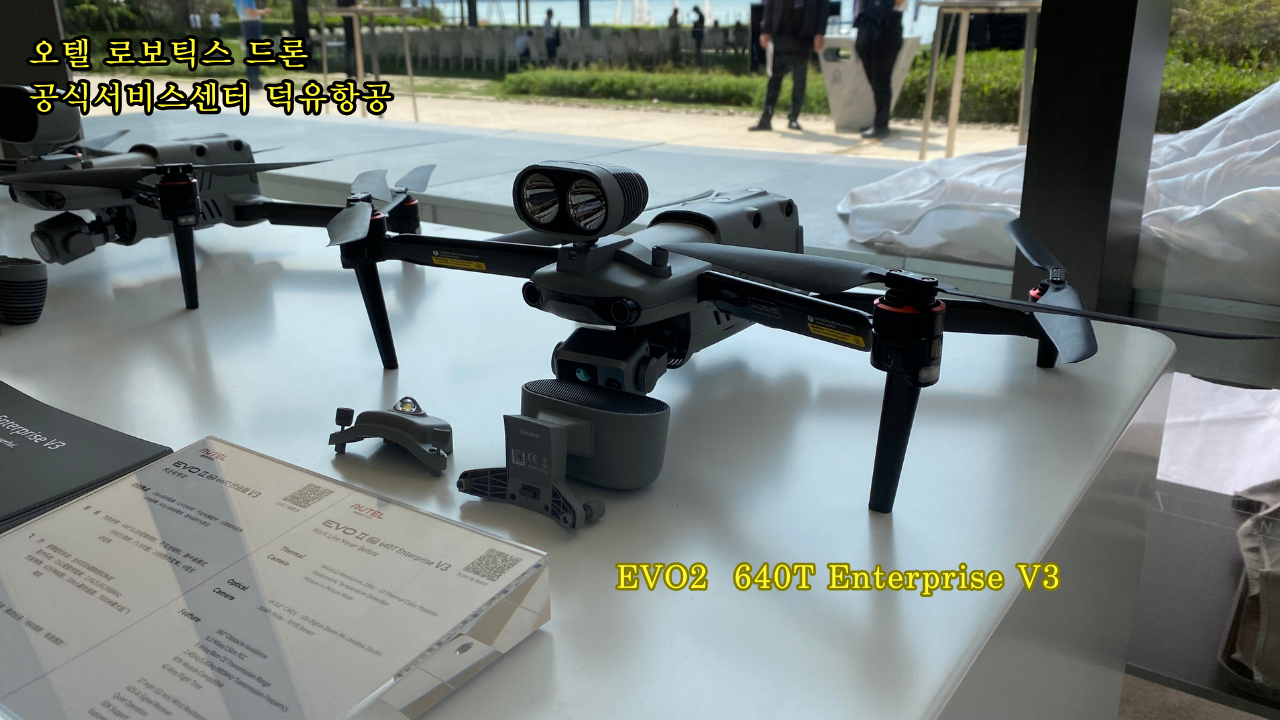
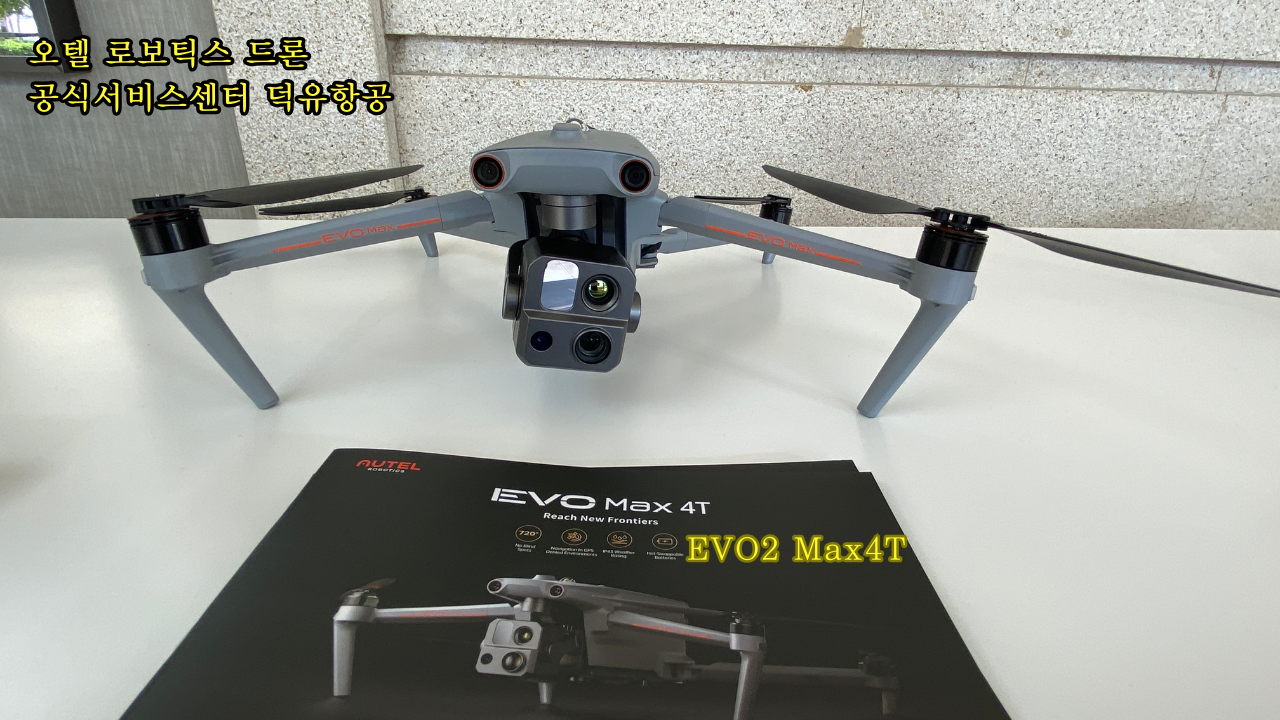
| What are the main differences between the EVO II Enterprise V3 and other products of EVO II series V3? | Compared with other products in the EVO II series V3, the EVO II Enterprise V3 adds industry expansion accessories (spotlights, megaphones, strobe, RTK modules). EVO II Enterprise aircraft also have larger propellers and carbon fiber arms,which makes it lighter. |
| What’s the main difference between EVO II Enterprise V3 and EVO II Enterprise V2? | V3 is mainly enhanced in terms of image transmission performance, which is up to 15 km. |
| How many models does the EVO II Enterprise series V3 include? | The series includes the EVO II Pro Enterprise V3 Edition and EVO II Dual 640T Enterprise V3 Edition. The former is equipped with a 6K visible light camera, and the latter is equipped with a dual-light camera. |
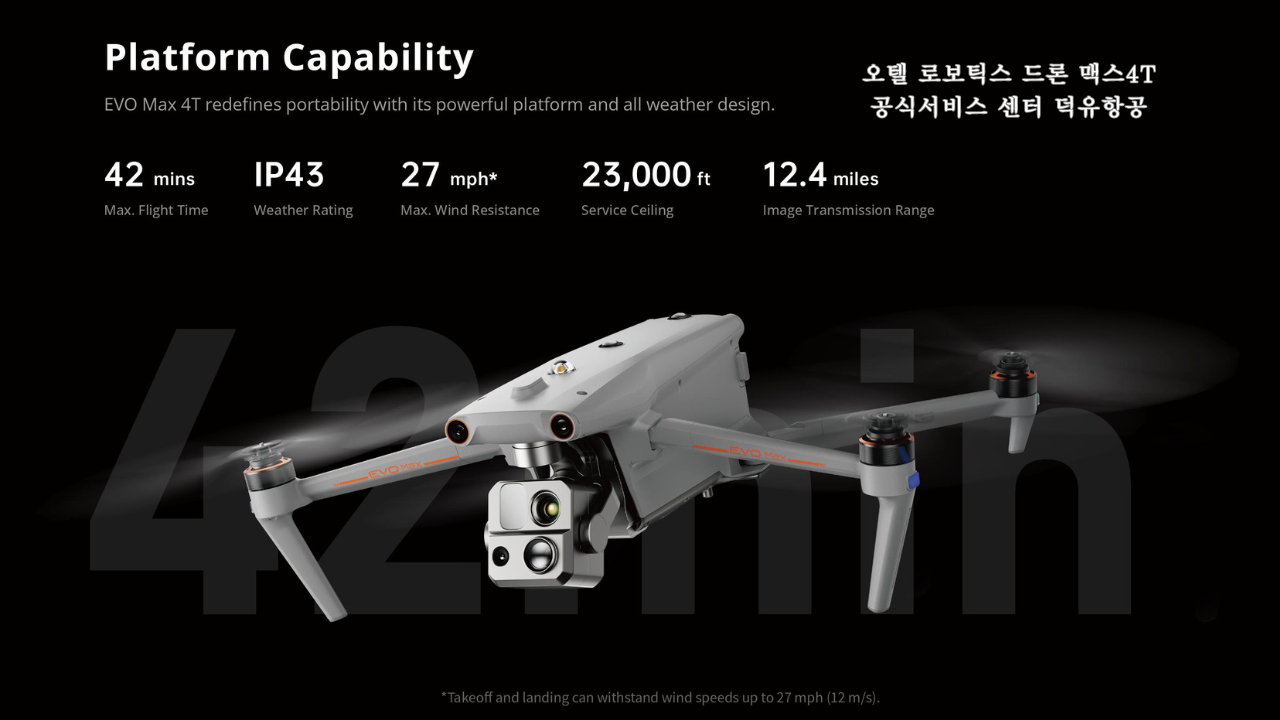
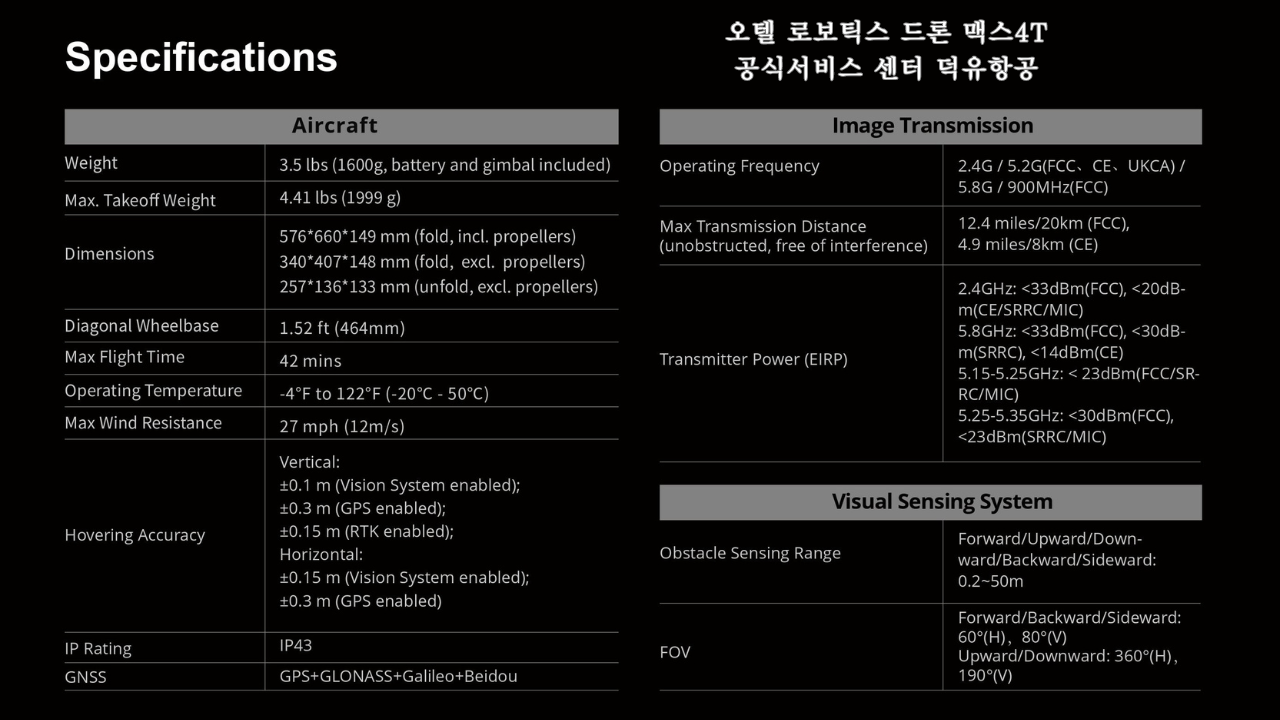
| How long is the battery life? | Up to 42 minutes in ideal conditions (excluding industry accessories). |
| What blade is equipped with? | Low-noise propellers. |
| Is the EVO II Enterprise V3 waterproof? | No, the EVO II Enterprise is not waterproof. Please do not fly on rainy days. |
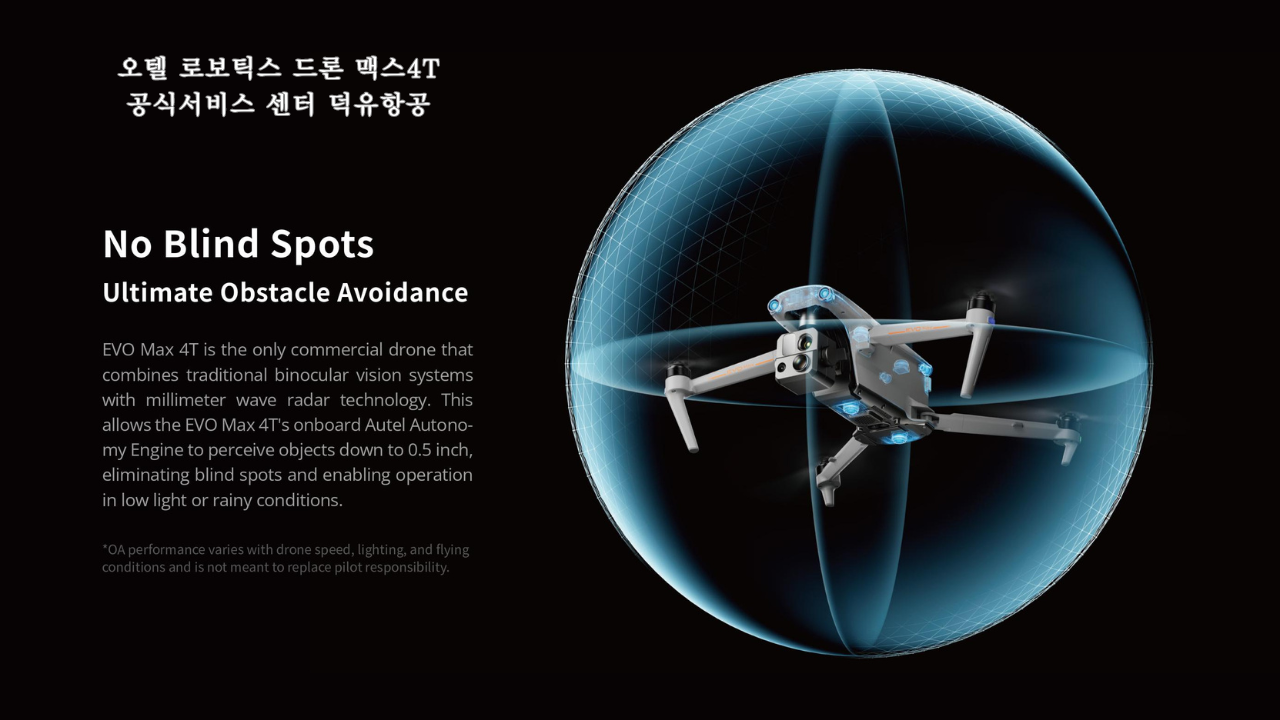
| What kind of obstacle avoidance does the EVO II Enterprise V3 have? | The EVO II Enterprise is equipped with a six-direction binocular vision obstacle avoidance system. The body has a total of ten vision sensors (two of each on the front, back, top, bottom, left and right). |
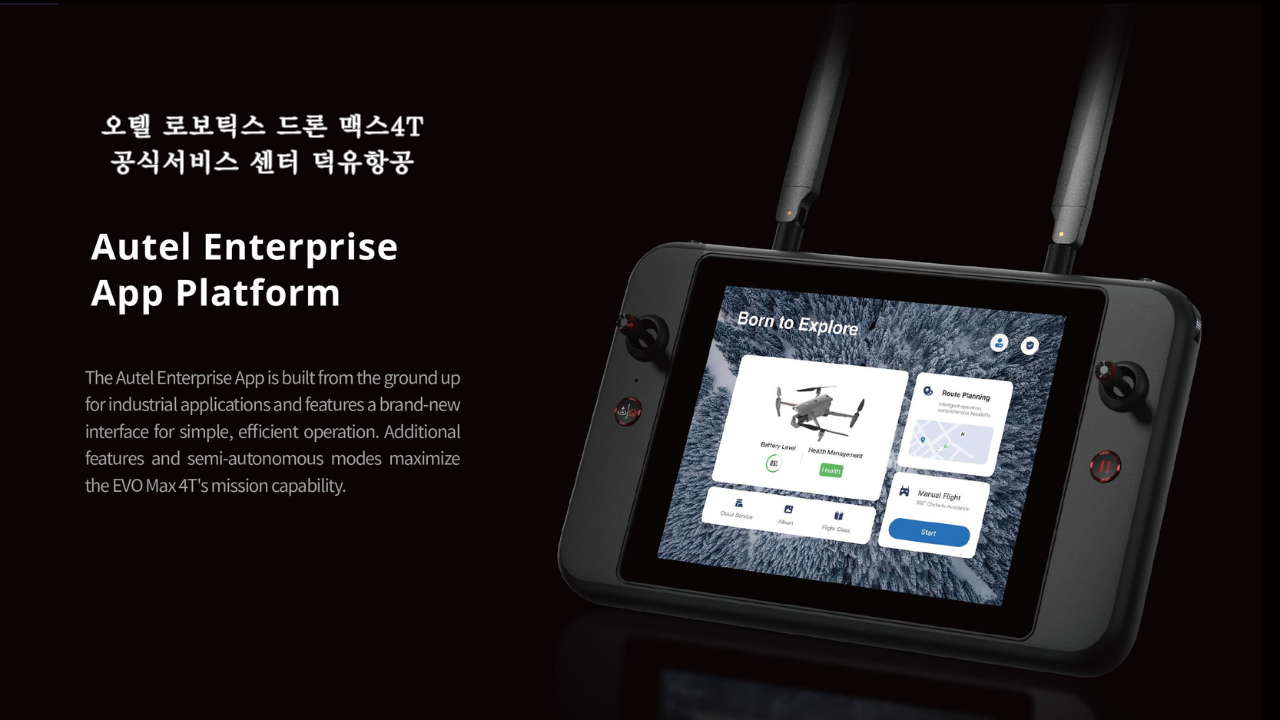
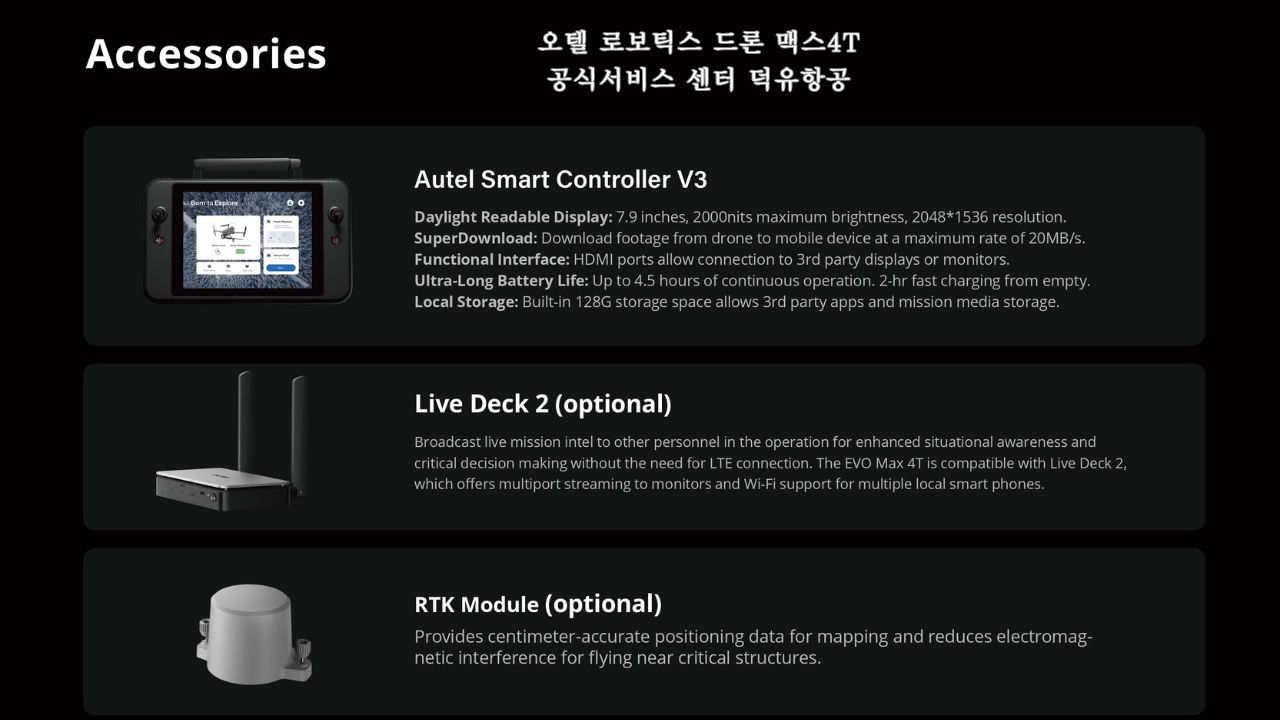
| What remote control does EVO II Enterprise V3 use? | The EVO II Enterprise V3 comes standard with the Autel Smart Controller V3. The controller is equipped with a 7.9-inch retina touch screen with original color display technology. It has a resolution of 2048×1536 and a maximum brightness of 2000nit, which is 4 times than that of ordinary mobile devices. The controller is also compatible with other drones of EVO II series V3. |
| Is the remote controller of EVO II Enterpreise V3 compatible with the EVO II Enterpreise V2? | No. Autel remote control V3 can be used universally when connecting EVO II series V3. But it is not compatible with EVO II series V2. |
| Does the remote controller provide customizable buttons? | Yes. There are two customizable buttons on the top of the remote controller, and functions can be customized through the APP. |
| How many ports does the remote controller have? | There is a Type-C port, a HDMI port and a USB-A port on the top of the remote controller for connecting external devices and charging. |
| What is the image transmission distance between the remote control and the aircraft? | In an open, non-interference environment, the FCC standard maximum distance is 15 km and the CE standard maximum distance is 8 km. |
| How many communication frequency bands does the remote control support? | 902-928MHz(FCC)
2.400-2.4835GHz
5.725-5.850GHz(besides Japan)
5.650-5.755GHz(Japan)
*The working frequency band varies according to different countries and models. |
| How should I position the remote control’s antenna? | Align the antenna’s flat wide surface with the aircraft. |
| How long does it take to charge the remote control? | About 2 hours. |
| How long is the battery life of the remote control? | 3 hours (maximum brightness)
4.5 hours (50% brightness) |
| Can I connect external devices with RC by an HDMI cable? | Yes, HDMI output is supported. |
| How much storage space does the remote control have? | The built-in storage capacity is 128 GB. But the controller does not support external SD card expansion storage. |
| What is the working range of the spotlight? | The light has a visible range of about 100 feet. |
| How do I adjust the spotlight angle? | Only manual adjustment is supported, and the adjustment interval is 0°- 90°. |
| Can the intensity of the spotlight be adjusted? | There is a spotlight icon at the lower left corner of the Autel Explorer app camera view. Click the icon to turn off/on the spotlight or select the light intensity. |
| What is the sound intensity of the megaphone? | After testing, in an environment of 65db, the sound intensity of the drone at different distances from the test point is: 120dB at 1 meter (3.3 feet) ; 88dB at 60 meters (197 feet); and 70dB at 110 meters (360 feet). |
| What is the working mode of the megaphone? | Users can pre-record multiple voice messages through the Autel Explorer app, and then select the voice message to play. |
| How do I adjust the spotlight angle? | Only manual adjustment is supported, and the adjustment interval is 0° – 45°. |
| What is the effective distance of the strobe? | Depending on the actual environment, the distance can be up to 16,400 feet. |
| What is the RTK positioning accuracy? | 1 cm + 1 ppm (horizontal), 1.5 cm + 1 ppm (vertical) |
| Are the accessories of EVO II Enterprise V3 universal with V2? | The accessory, such as megaphone, spotlight, strobe and RTK module installed on aircraft V3, is compatible with V2 Edition. |
| How do I replace expansion accessories? | To remove accessories:
1) Confirm that the power of the aircraft is turned off.
2) Loosen the screws on both sides of the accessory and remove the accessory.
3) Insert both ends of the protective cover into the corresponding slots.
To mount accessories:
1) Confirm that the power of the aircraft is turned off.
2) Twist gently to remove the protective cover of the expansion accessory interface.
3) Align the screws on both sides of the accessory with the screw holes, and tighten the screws. |
| Can the mount be replaced? | Yes. |
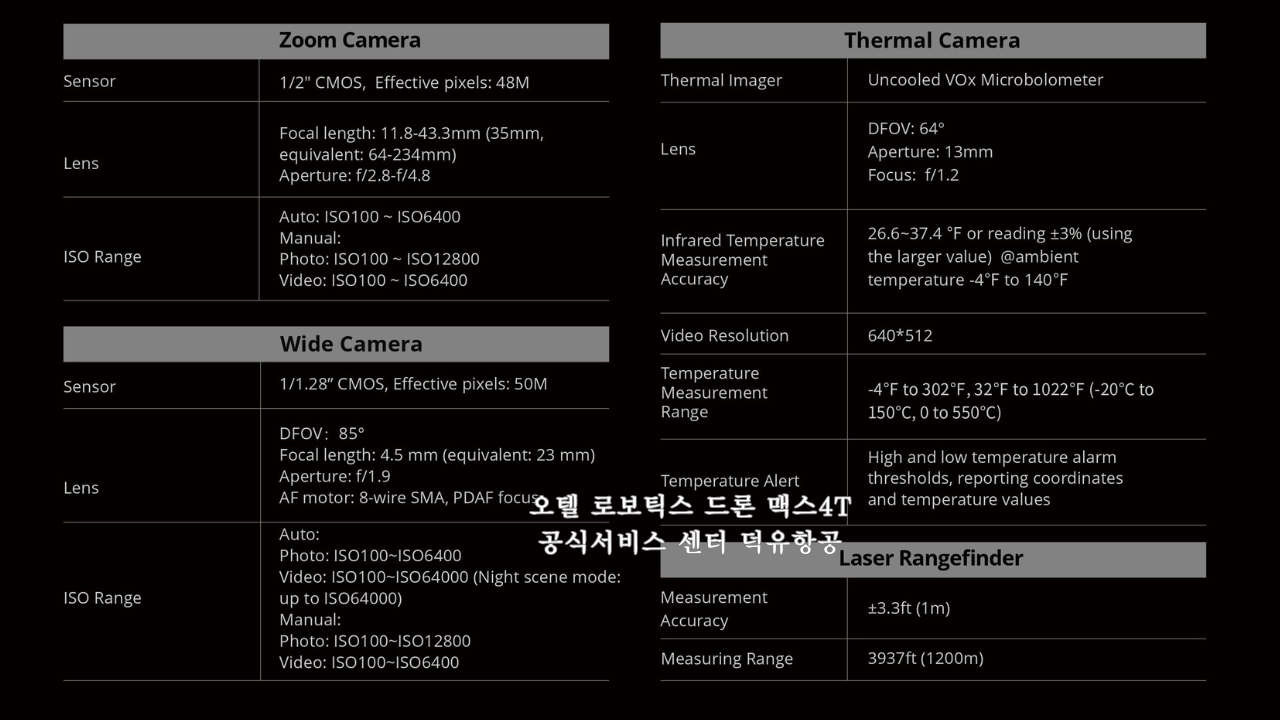
| What sensor is the EVO II Enterprise V3 camera equipped with? | The EVO II Pro Enterprise V3 Edition is equipped with a 1-inch 20-million pixel CMOS sensor. The EVO II Dual 640T Enterprise V3 Edition is equipped with a 640×512 thermal imaging sensor and 1/1.28-inch 50-million pixel CMOS sensor. |
| Does it support lossless zoom? | Yes. The EVO II Pro Enterprise V3 Edition can achieve 3x lossless zoom; the EVO II Dual 640T Enterprise V3 Edition can achieve 4x lossless zoom. |
| What types of shooting formats does the camera support? | EVO II Pro Enterprise V3 Edition visible light camera — Photo format: JPG/DNG, Video format: MOV/MP4;
EVO II Dual 640T Enterprise V3 Edition of visible light camera — Photo format: JPG/DNG, video format: MOV/MP4;
EVO II Dual 640T Enterprise V3 Edition infrared camera — Photo format: JPG/TIFF, video format: MOV/MP4. |
| Does the EVO II Dual 640T Enterprise V3 support temperature post-process? | Yes. We also provides a temperature analysis tool called Autel IR PC TOOL. |
| What factors will affect the temperature measurement accuracy of the EVO II Dual 640T Enterprise Edition? | 1. The influence of the atmosphere: The higher the temperature and humidity of the atmosphere, the greater the temperature measurement error.
2. The distance between the camera and the measured object: The farther the distance is, the greater the temperature measurement error is.
3. The emissivity and background temperature of the object: When the emissivity of the surface of the measured object is low and the background temperature is high, it will cause a large temperature measurement error. |
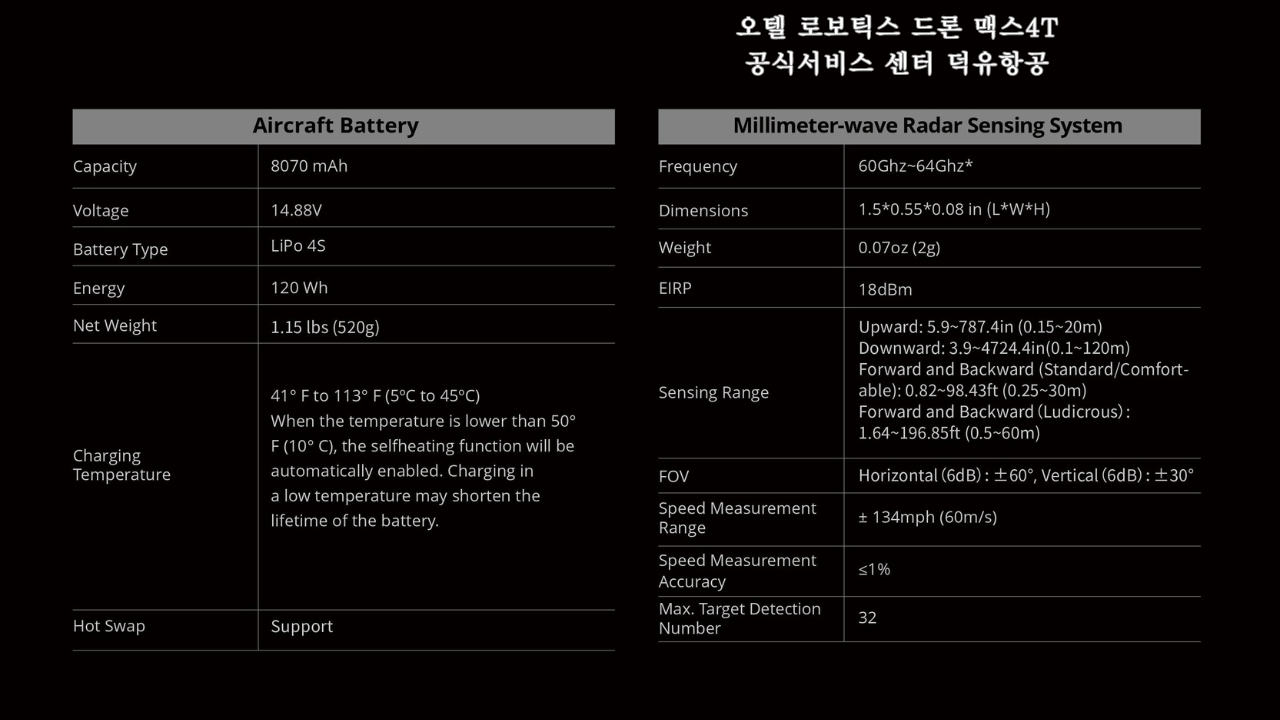
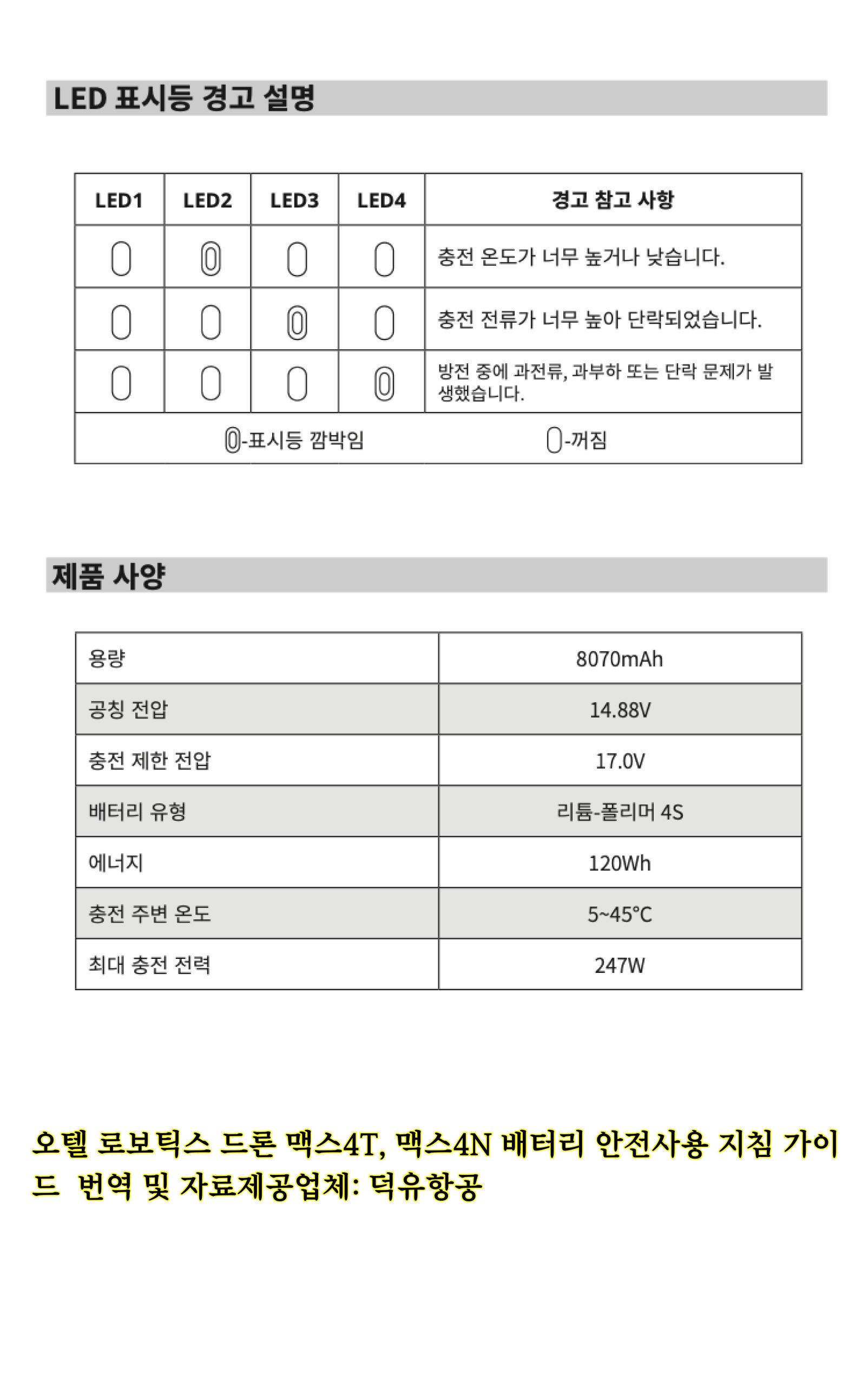
| What is the battery capacity? | Same as the battery of EVO II series V2 products: 7100mAh, 11.55V, 82Wh, it can be used interchangeably |
| How long does it take to fully charge the battery? | It takes about 90 minutes to fully charge each battery. |
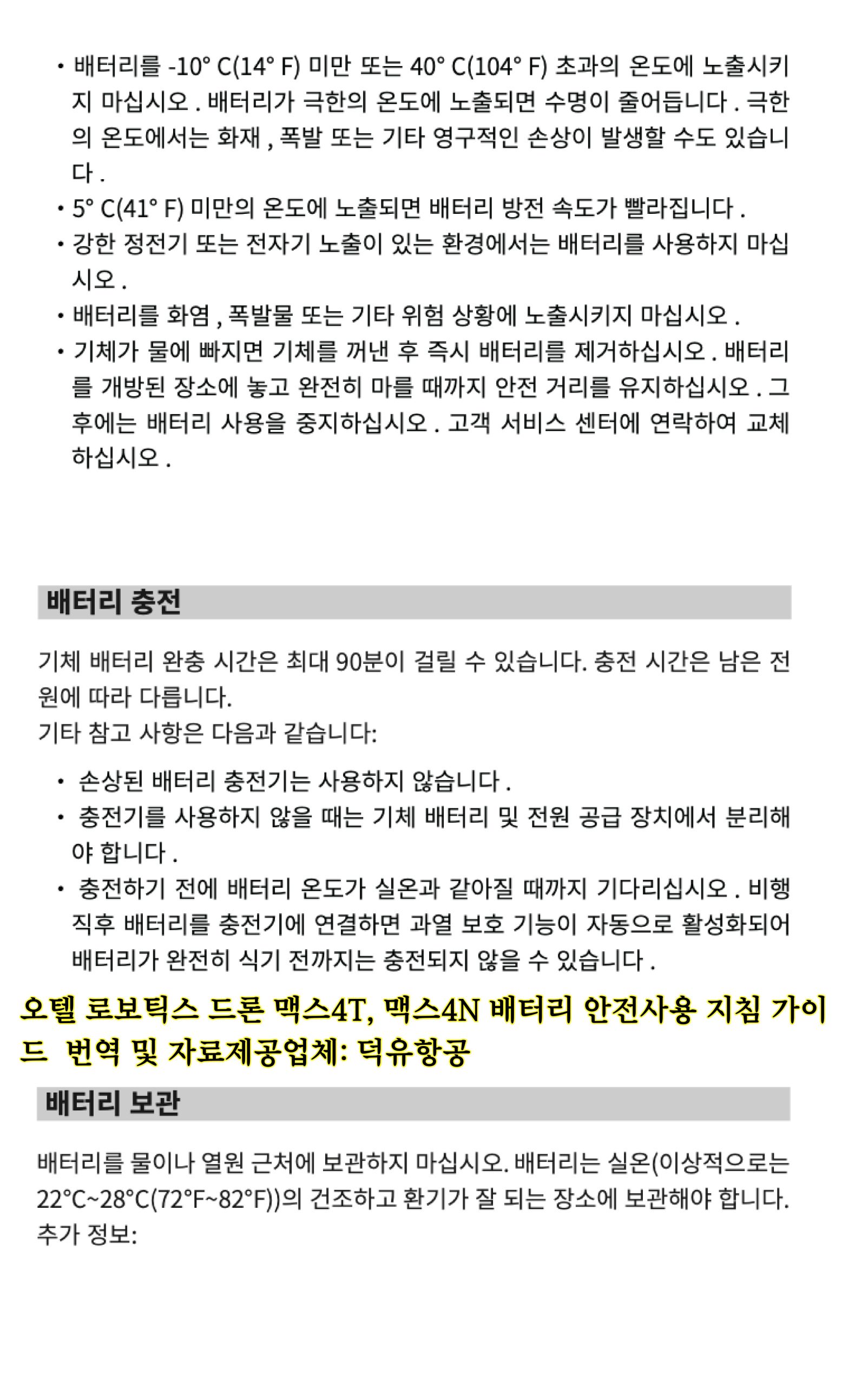
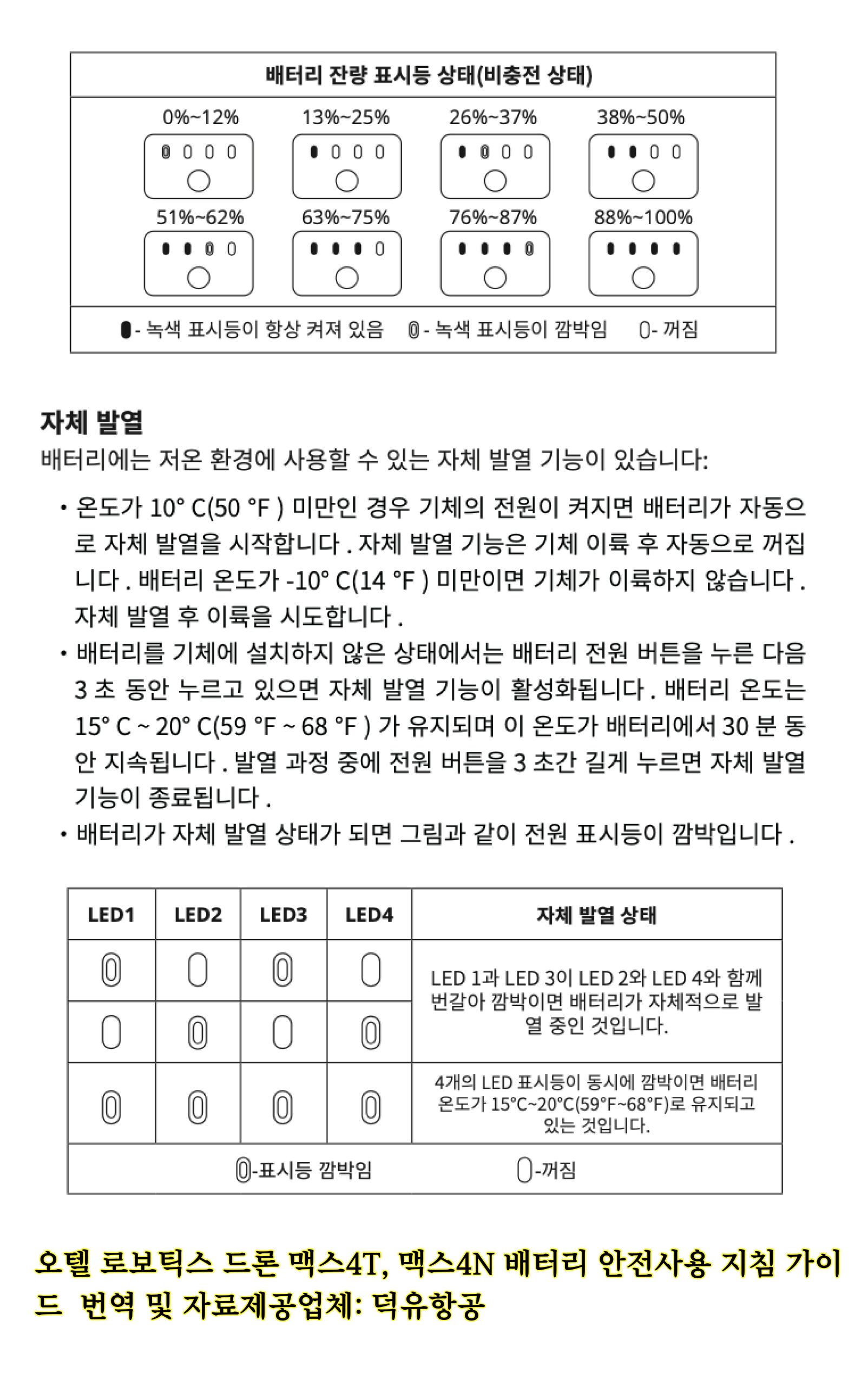
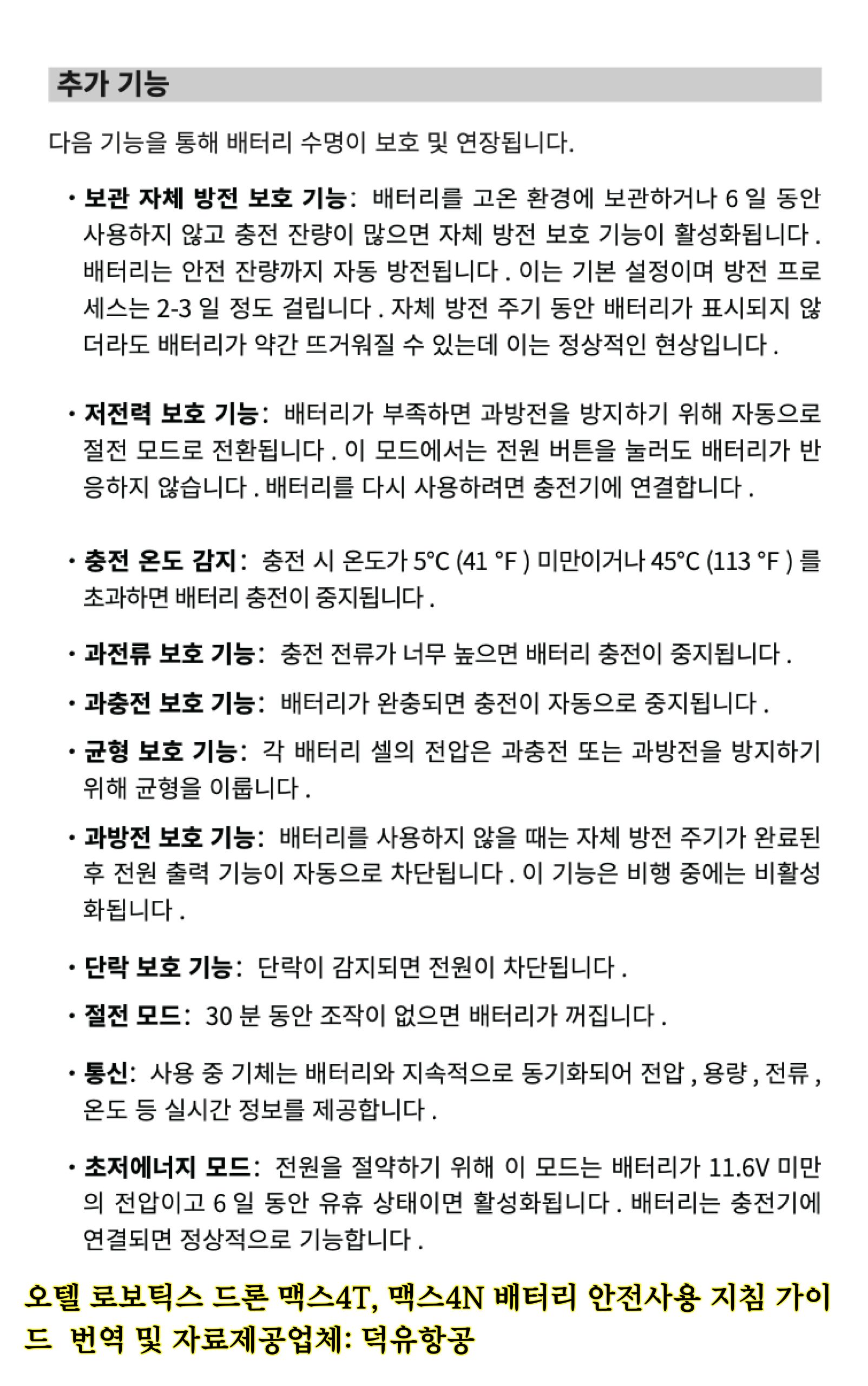
| How do I maintain the battery? | The battery should be stored in a dry, ventilated and cool environment, away from fire, high temperature and flammable materials. Do not place the battery in an environment that may increase the temperature of the battery, such as in direct sunlight or inside a hot car. During long-term storage, ensure that the power is more than two LED light indicators. If stored for more than three months, charge and discharge the battery at least once to keep it active. |
| Can the battery be used in a low temperature environment? | When used in a low temperature environment, the battery life will be reduced. Please plan flight time accordingly. For the best performance of the battery, it is recommended to keep the internal battery temperature above 15°C (59° F) before flying. |
| Can the battery be carried on board an airplane? | The energy of the battery is 82Wh. According to the requirements of the airline, the battery can be carried on board. Check with your local aviation authority and airline prior to traveling. |
| How do I upgrade the firmware? | Method 1 (Manual Firmware Update):
1. Download the latest firmware file from our official website into your mirco SD card and then place the microSD card inserted into your EVO II Enterprise.
2. Power on the Smart Controller, then aircraft, which will be in the update process then..
3. Once the update is complete, reboot your Smart Controller and aircraft.
Method 2 (OTA, Over-the-Air Firmware Update):
1.Ensure your Smart Controller is connected to a mobile hotspot or WiFi network.
2. When the Smart Controller is connected to a network, if the firmware needs to be upgraded, it will automatically detect the new firmware and prompt you to download.
3. After completing the download as prompted, click “Upgrade” and wait for the operation page showing “Firmware Upgrade Complete”.
4. Once the update is complete, reboot your Smart Controller and aircraft. |
| Which software is supported? | Currently only the Autel Explorer app is supported. |
| Which industries can the EVO Enterprise be used for? | It can be used for many fields, such as law enforcement, electrical power inspection, fire rescue, building inspection, and more. Professionals in these fields use the drone to meet daily data collection needs and complete operation tasks stably and efficiently. |
































.png "도통.png")